PENCILTYPE Download on the App Store

Grown things

A catalog pack (CC0) of six L-tree growth brushes rolled in the growth creator and kept with their seeds, so each line grows the same way every time.

How these brushes work

L-tree growth
Growth along the line: a thin spine follows the stroke and, at an even pitch, a small branching structure (an L-system) grows off alternating sides, bent toward the top or bottom of the page. A recipe sets generations, splits, angles, lengths, widths, curl, tips and leaves; every random draw is seeded from where the growth lands (plus an optional seed), so redrawing or exporting reproduces exactly the same growth.

The brushes

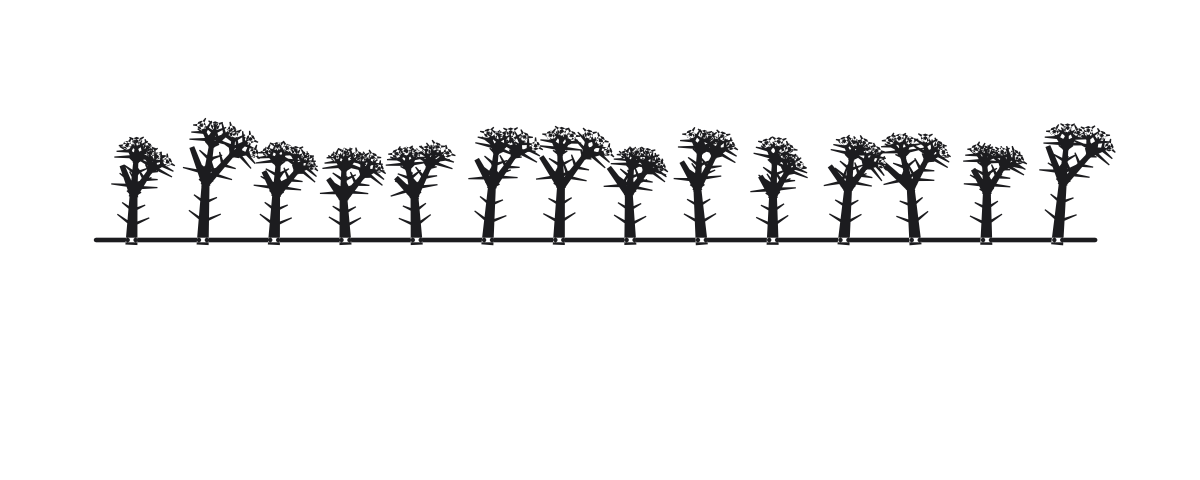
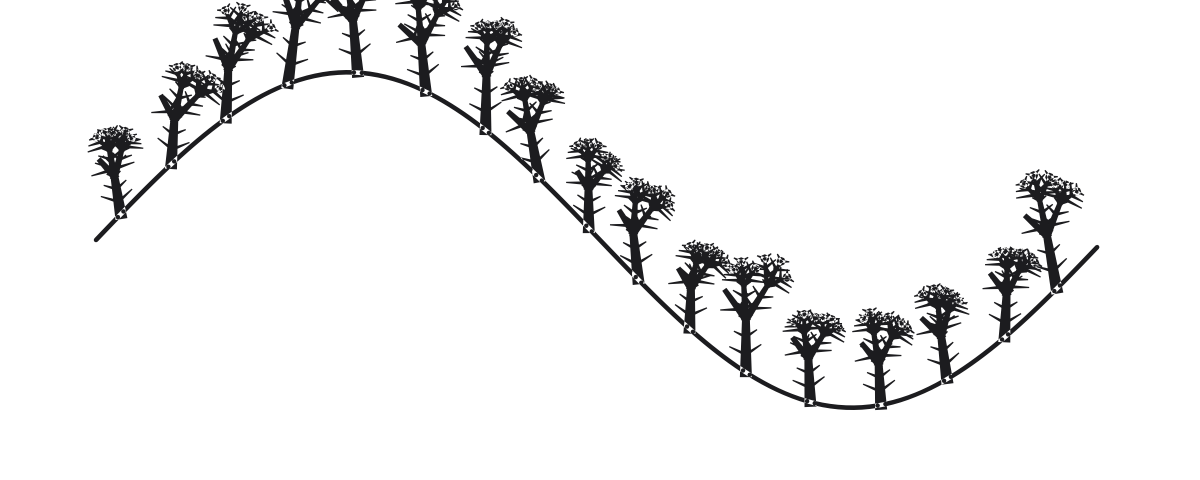
Thicket

Thicket swatch

dense branches, leaflets along them
Factory size 30 · Steady 0%

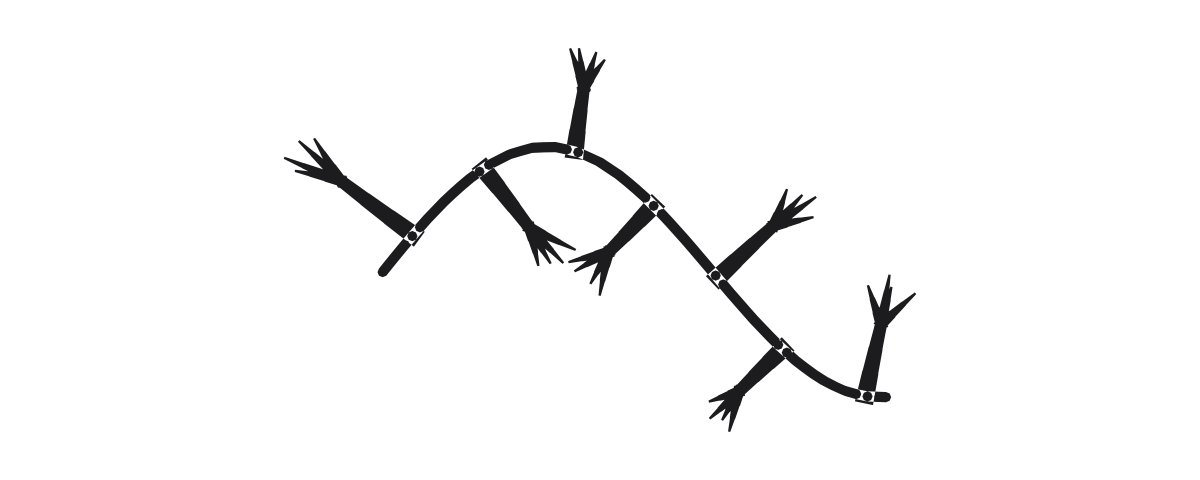
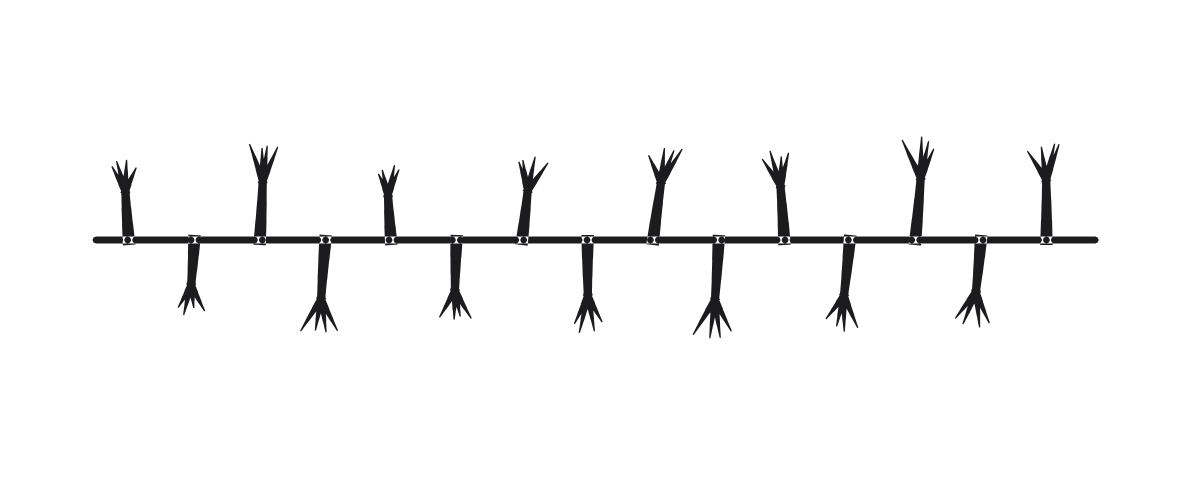
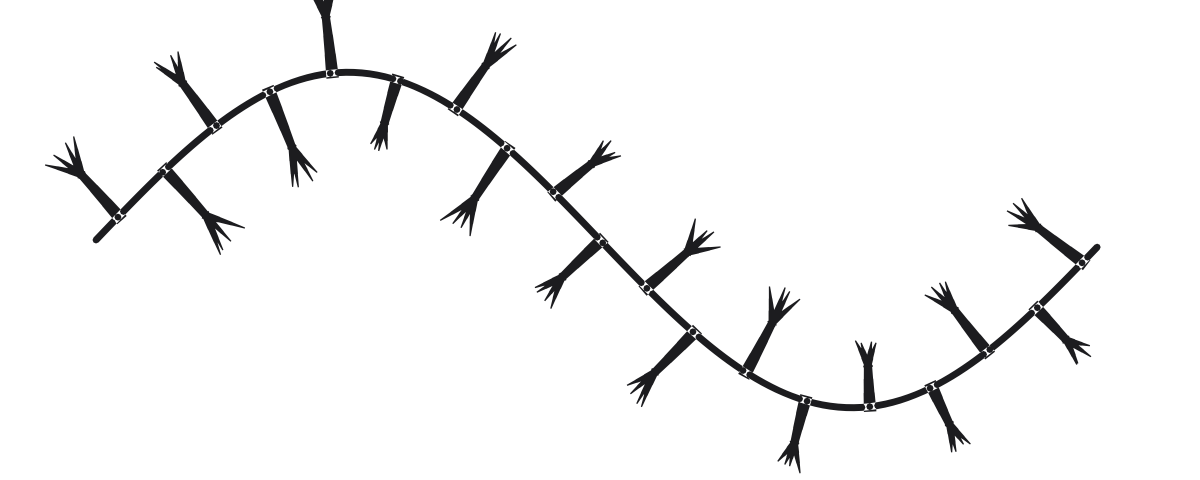
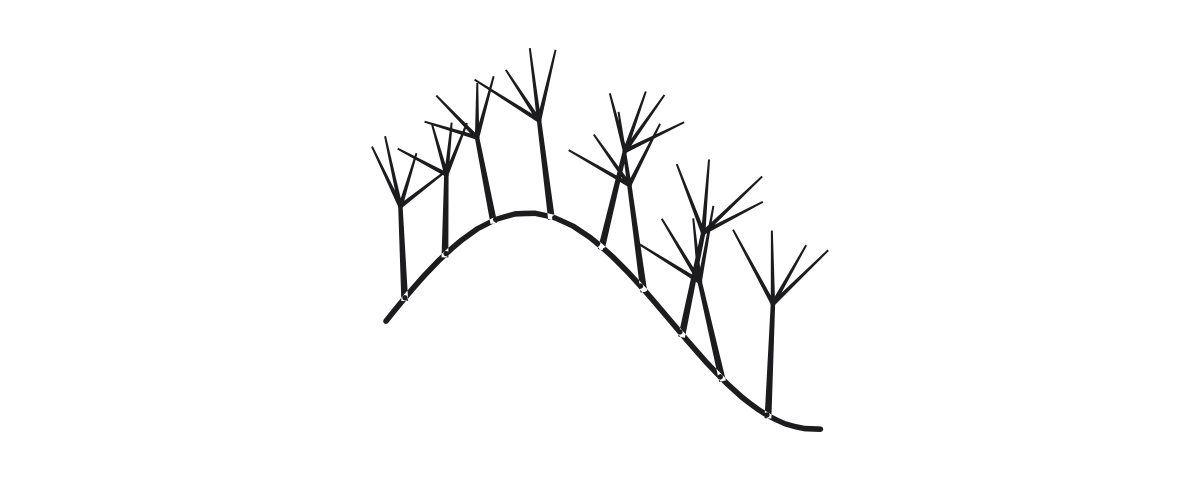
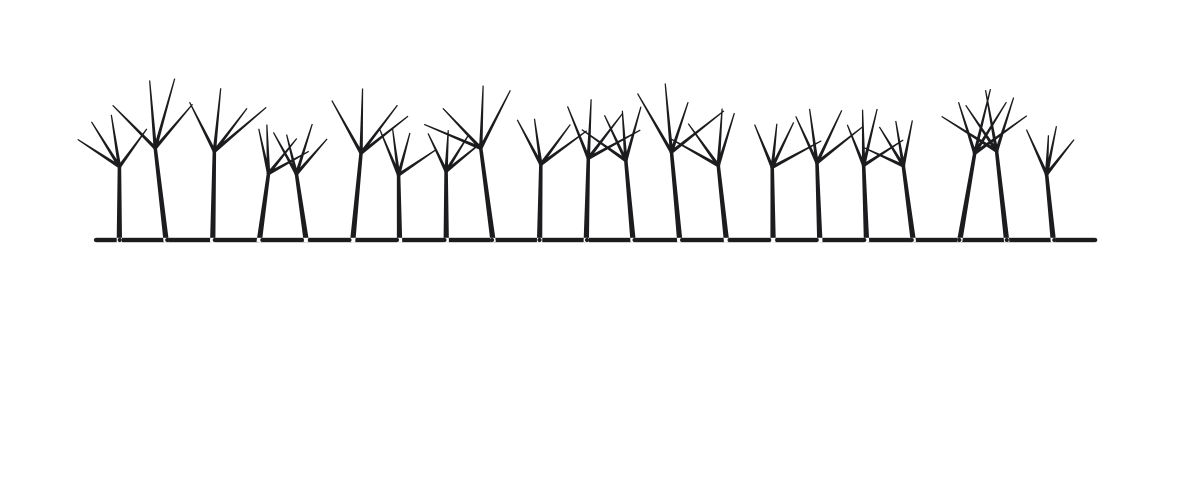
Thicket, straight stroke
Straight
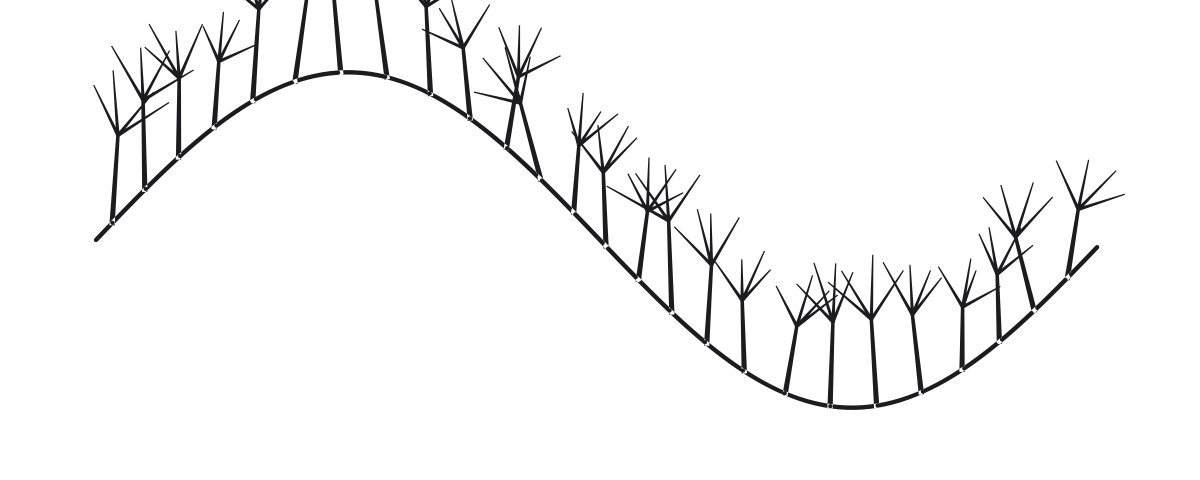
Thicket, curved stroke
Curved
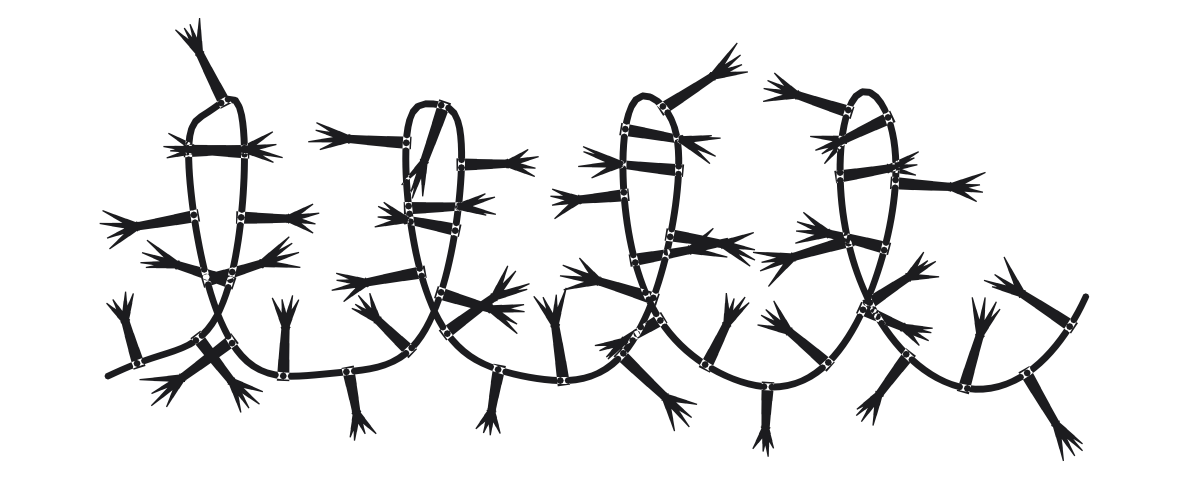
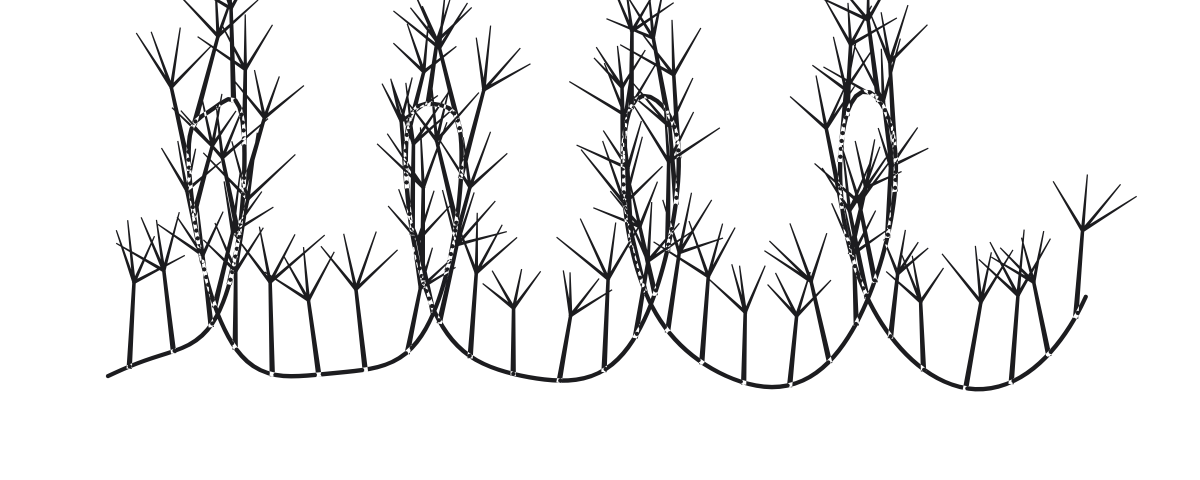
Thicket, freehand stroke
Freehand

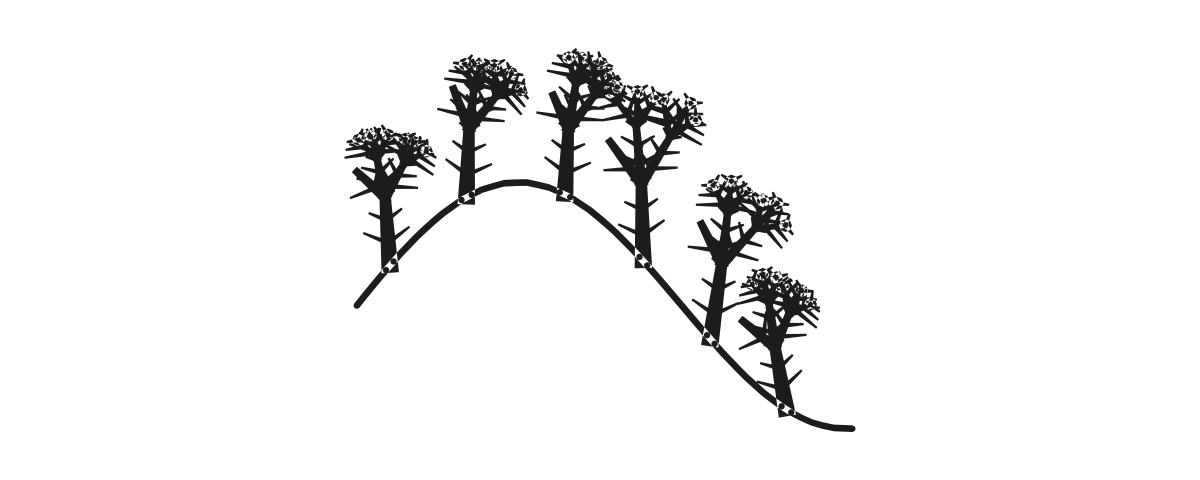
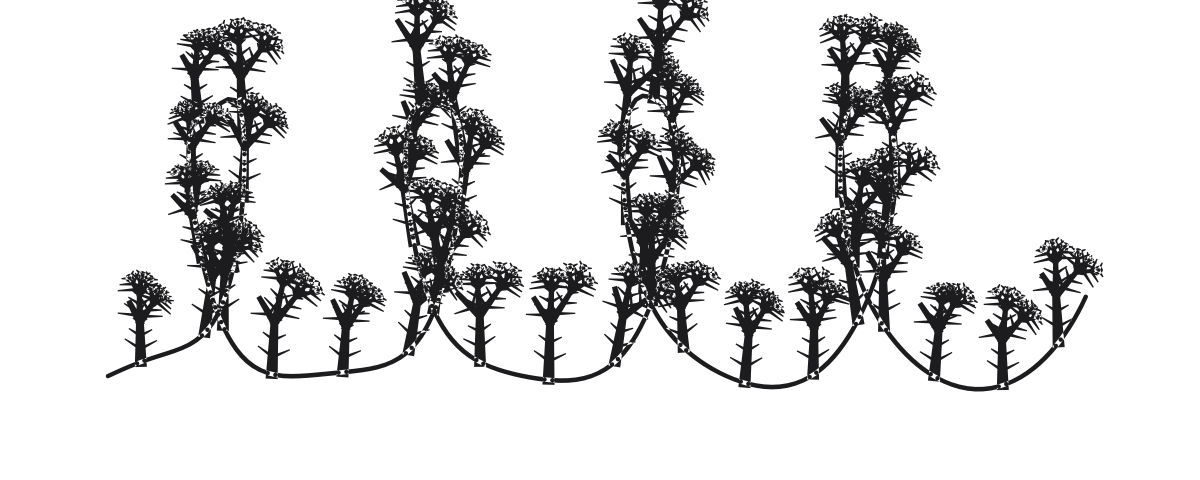
Dense, upright little trees with leaflets: every 2.0× Size a trunk about 1.3× Size long and fairly thick (0.33×) grows strongly upward (Grows toward +0.90), splits into three for two generations at about 33° with little wobble, and carries paired leaflets along every branch and a small dot at each tip. Seed 11 fixes the scatter.

Reads: direction

With a finger: Identical with a finger: it reads no pressure or tilt.

SettingRangeFactoryWhat it does
Growth pattern Options pageChoices: Branches, Floral, Fern, Vine, Thorns, Barbed wire, Roots, Coral, Crystal, SeaweedBranchesStarts the growth from a preset recipe. Picking one replaces every recipe value and the seed below with that preset's table. Picker Options page and Brush Studio › Growth.
Show the line Options page0 – 11Off draws only the growth: the stroke's own spine stays invisible.
SeedRandomize, New variation, a whole number (blank = none), Lock11Randomize rolls a whole new recipe (and a new seed unless Lock is on); New variation keeps the recipe and re-rolls every random draw; the same seed always grows the same way. Brush Studio › Growth.
Spacing along the stroke Studio › Growth › Layout0.4× – 6.0× (Tight … Open)2.0×Distance between growths along the line, × Size; the first grows half a step in. Brush Studio › Growth › Layout.
Generations Studio › Growth › Layout0 – 42How many times branches branch (0 = a single trunk). Brush Studio › Growth › Layout.
Branches per split Studio › Growth › Layout0 – 53Children at each branching point. Brush Studio › Growth › Layout.
Segments per branch Studio › Growth › Layout1 – 81More segments bend more smoothly (and cost more of the 72-piece budget). Brush Studio › Growth › Layout.
Trunk length Studio › Growth › Layout0.2× – 4.0× (Short … Long)1.3×Length of the first branch, × Size (each growth varies it ±20%). Brush Studio › Growth › Layout.
Grows toward Studio › Growth › Layout-1.00 – +1.00 (Down … Up)+0.900 grows straight out from the line, alternating sides; positive bends growth toward the top of the page, negative toward the bottom. Brush Studio › Growth › Layout.
Branch angle Studio › Growth › Shape0° – 90° (Narrow … Wide)33°How far children fan out from their parent's direction (also the spike angle for Barbed wire). Brush Studio › Growth › Shape.
Angle wobble Studio › Growth › Shape0° – 69° (Even … Varied)7°Random variation added to every angle. Brush Studio › Growth › Shape.
Child length Studio › Growth › Shape30% – 100% (Short … Long)65%Each generation's length against its parent's. Brush Studio › Growth › Shape.
Trunk width Studio › Growth › Shape0.04× – 0.80× (Hairline … Bold)0.33×The first branch's root width, × Size. Brush Studio › Growth › Shape.
Tip width Studio › Growth › Shape0% – 100% (Needle … Blunt)63%Width at a last-generation branch's end against its root (0 = a needle point). Brush Studio › Growth › Shape.
Curl Studio › Growth › Shape0% – 120% (None … Strong)7%Bend per segment; each branch curls one way or the other at random. Brush Studio › Growth › Shape.
Wave instead of curl Studio › Growth › Shape0 – 10The bend alternates sides along a branch: a wave, not a curl. Brush Studio › Growth › Shape.
Line thickness Studio › Growth › Shape0.00× – 0.60× (Hairline … Bold)0.13×The spine's width along your stroke, × Size. Brush Studio › Growth › Shape.
Barbed wire Studio › Growth › Shape0 – 10Each growth becomes an X of four straight spikes across the line instead of a branch. Brush Studio › Growth › Shape.
TipsNone, Dot, Petals, StampDotWhat grows at the end of each last branch: nothing, a dot, a five-petal bloom, or a stamp you pick (a dot until one is picked). Brush Studio › Growth › Ornaments.
Tip size0.2× – 3.0× (Small – Large)0.8×Scales the tip ornament (shown when Tips is not None). Brush Studio › Growth › Ornaments.
LeavesNone, Leaflets, StampLeafletsWhat grows along each branch: nothing, paired leaflets shrinking toward the tip, or a stamp (leaflets until one is picked). Brush Studio › Growth › Ornaments.
Leaf size0.2× – 3.0× (Small – Large)1.1×Scales the leaves (shown when Leaves is not None). Brush Studio › Growth › Ornaments.
Leaf spacing0.2× – 2.0× (Tight – Open)0.5×Pitch of stamp leaves along a branch, × Size (Stamp leaves only). Brush Studio › Growth › Ornaments.
Stamp size variation0% – 100% (Even – Varied)0%Random size per stamp tip or leaf (shown when a stamp ornament is on). Brush Studio › Growth › Ornaments.
Stamp turn variation0% – 100% (Even – Varied)0%Random turn per stamp tip or leaf. Brush Studio › Growth › Ornaments.
Branches drawn withClassic, Fineliner, Ballpoint, Fountain, Brush pen, Chisel, Calligraphy, Quill, Rough pencil, Charcoal, Gritty pencil, ErodeClassicClassic lays tapered quads; any other choice sweeps each branch with that pen's nib (slower to draw). A Complexity meter (Light, Busy, Heavy) shows the cost against the budget. Brush Studio › Growth › Branch pen.
Steady Studio › Steady0% – 100% (None … Strong)0%Smooths a shaky hand by averaging the path over a distance (up to ±120 font units at 100%); the ends stay put. Also a chip on the bottom bar. Brush Studio › Steady.

Tips

  • Give letters plenty of room above: the growth leans hard toward the top of the page.
  • It starts from Branches; picking a Growth pattern replaces this recipe, so use Reset to get it back.
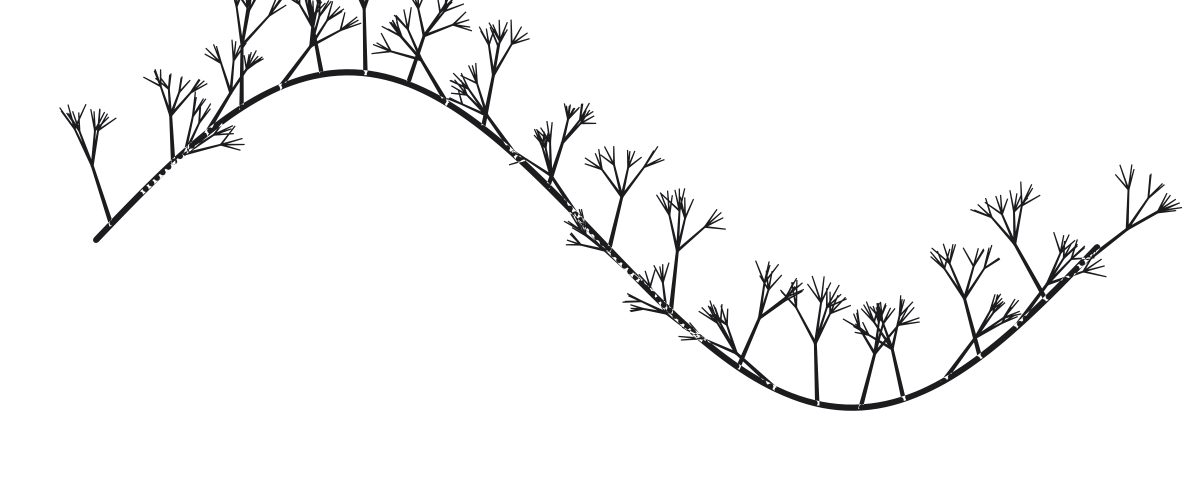
Frond

Frond swatch

a long fern, splitting late

Factory size 30 · Steady 0%

Frond, straight stroke
Straight
Frond, curved stroke
Curved
Frond, freehand stroke
Freehand

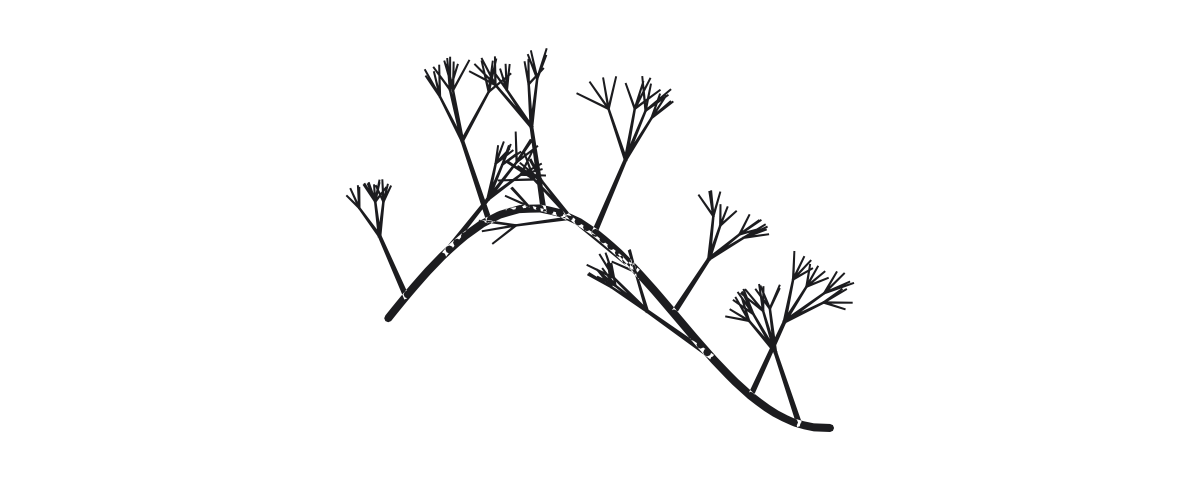
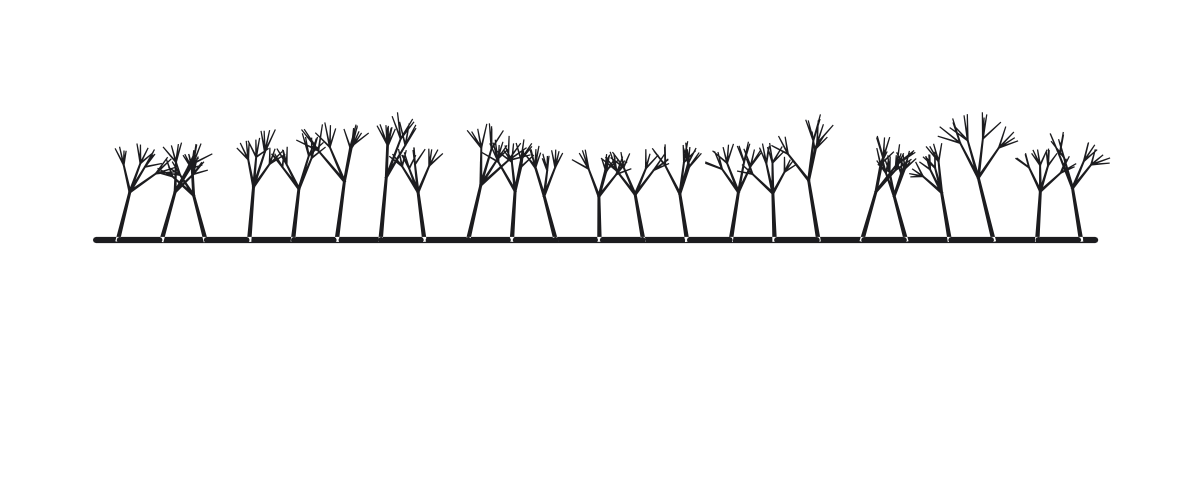
Fine, fan-like fronds: every 1.2× Size a slender trunk (0.12× Size wide, about 1.5× long) leans upward (+0.60) and splits into four at about 25°, twice over, with a light curl and no leaves or tips. The many fine branches give a feathery, splitting-late look. Seed 23 fixes the scatter.

Reads: direction

With a finger: Identical with a finger: it reads no pressure or tilt.

SettingRangeFactoryWhat it does
Growth pattern Options pageChoices: Branches, Floral, Fern, Vine, Thorns, Barbed wire, Roots, Coral, Crystal, SeaweedFernStarts the growth from a preset recipe. Picking one replaces every recipe value and the seed below with that preset's table. Picker Options page and Brush Studio › Growth.
Show the line Options page0 – 11Off draws only the growth: the stroke's own spine stays invisible.
SeedRandomize, New variation, a whole number (blank = none), Lock23Randomize rolls a whole new recipe (and a new seed unless Lock is on); New variation keeps the recipe and re-rolls every random draw; the same seed always grows the same way. Brush Studio › Growth.
Spacing along the stroke Studio › Growth › Layout0.4× – 6.0× (Tight … Open)1.2×Distance between growths along the line, × Size; the first grows half a step in. Brush Studio › Growth › Layout.
Generations Studio › Growth › Layout0 – 42How many times branches branch (0 = a single trunk). Brush Studio › Growth › Layout.
Branches per split Studio › Growth › Layout0 – 54Children at each branching point. Brush Studio › Growth › Layout.
Segments per branch Studio › Growth › Layout1 – 81More segments bend more smoothly (and cost more of the 72-piece budget). Brush Studio › Growth › Layout.
Trunk length Studio › Growth › Layout0.2× – 4.0× (Short … Long)1.5×Length of the first branch, × Size (each growth varies it ±20%). Brush Studio › Growth › Layout.
Grows toward Studio › Growth › Layout-1.00 – +1.00 (Down … Up)+0.600 grows straight out from the line, alternating sides; positive bends growth toward the top of the page, negative toward the bottom. Brush Studio › Growth › Layout.
Branch angle Studio › Growth › Shape0° – 90° (Narrow … Wide)25°How far children fan out from their parent's direction (also the spike angle for Barbed wire). Brush Studio › Growth › Shape.
Angle wobble Studio › Growth › Shape0° – 69° (Even … Varied)16°Random variation added to every angle. Brush Studio › Growth › Shape.
Child length Studio › Growth › Shape30% – 100% (Short … Long)59%Each generation's length against its parent's. Brush Studio › Growth › Shape.
Trunk width Studio › Growth › Shape0.04× – 0.80× (Hairline … Bold)0.12×The first branch's root width, × Size. Brush Studio › Growth › Shape.
Tip width Studio › Growth › Shape0% – 100% (Needle … Blunt)35%Width at a last-generation branch's end against its root (0 = a needle point). Brush Studio › Growth › Shape.
Curl Studio › Growth › Shape0% – 120% (None … Strong)16%Bend per segment; each branch curls one way or the other at random. Brush Studio › Growth › Shape.
Wave instead of curl Studio › Growth › Shape0 – 10The bend alternates sides along a branch: a wave, not a curl. Brush Studio › Growth › Shape.
Line thickness Studio › Growth › Shape0.00× – 0.60× (Hairline … Bold)0.17×The spine's width along your stroke, × Size. Brush Studio › Growth › Shape.
Barbed wire Studio › Growth › Shape0 – 10Each growth becomes an X of four straight spikes across the line instead of a branch. Brush Studio › Growth › Shape.
TipsNone, Dot, Petals, StampNoneWhat grows at the end of each last branch: nothing, a dot, a five-petal bloom, or a stamp you pick (a dot until one is picked). Brush Studio › Growth › Ornaments.
Tip size0.2× – 3.0× (Small – Large)1.4×Scales the tip ornament (shown when Tips is not None). Brush Studio › Growth › Ornaments.
LeavesNone, Leaflets, StampNoneWhat grows along each branch: nothing, paired leaflets shrinking toward the tip, or a stamp (leaflets until one is picked). Brush Studio › Growth › Ornaments.
Leaf size0.2× – 3.0× (Small – Large)1.6×Scales the leaves (shown when Leaves is not None). Brush Studio › Growth › Ornaments.
Leaf spacing0.2× – 2.0× (Tight – Open)0.5×Pitch of stamp leaves along a branch, × Size (Stamp leaves only). Brush Studio › Growth › Ornaments.
Stamp size variation0% – 100% (Even – Varied)0%Random size per stamp tip or leaf (shown when a stamp ornament is on). Brush Studio › Growth › Ornaments.
Stamp turn variation0% – 100% (Even – Varied)0%Random turn per stamp tip or leaf. Brush Studio › Growth › Ornaments.
Branches drawn withClassic, Fineliner, Ballpoint, Fountain, Brush pen, Chisel, Calligraphy, Quill, Rough pencil, Charcoal, Gritty pencil, ErodeClassicClassic lays tapered quads; any other choice sweeps each branch with that pen's nib (slower to draw). A Complexity meter (Light, Busy, Heavy) shows the cost against the budget. Brush Studio › Growth › Branch pen.
Steady Studio › Steady0% – 100% (None … Strong)0%Smooths a shaky hand by averaging the path over a distance (up to ±120 font units at 100%); the ends stay put. Also a chip on the bottom bar. Brush Studio › Steady.

Tips

  • The fronds are fine; draw at a larger Size for them to survive in small text.
  • Lower Branches per split to 2 for a sparser, more legible frond.

Blossom

Blossom swatch

petals at every tip

Factory size 30 · Steady 0%

Blossom, straight stroke
Straight
Blossom, curved stroke
Curved
Blossom, freehand stroke
Freehand

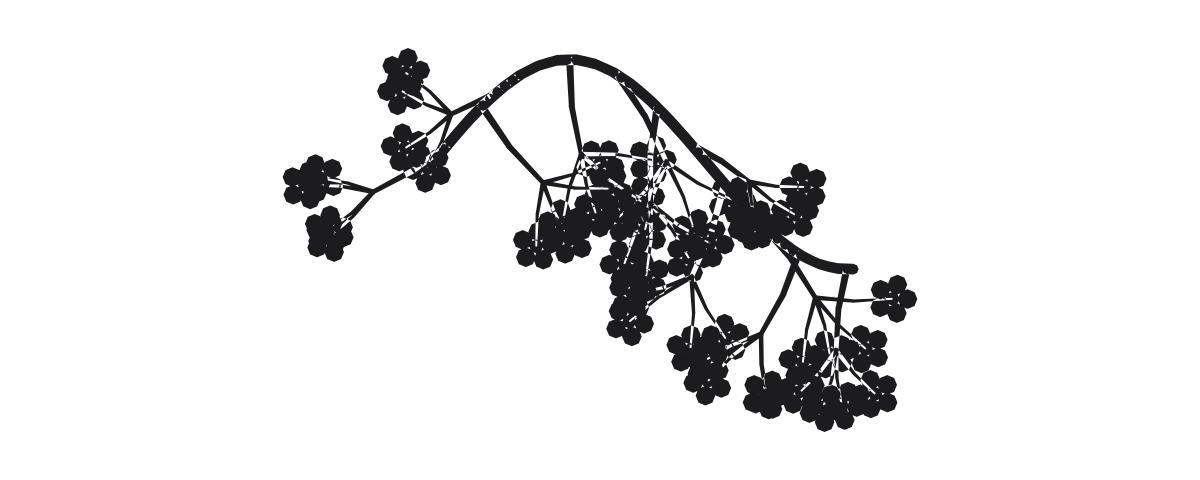
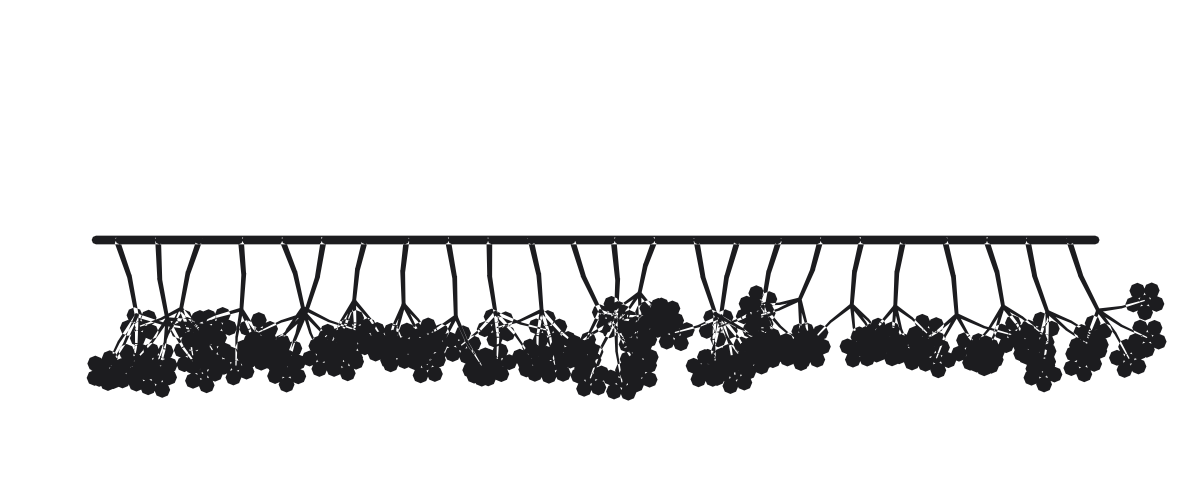
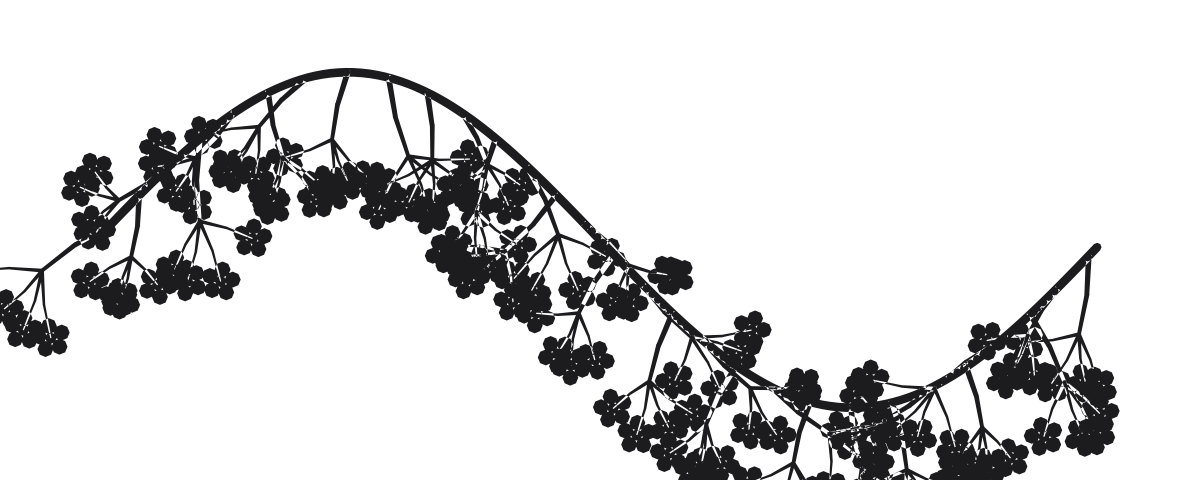
Drooping flower sprays: every 1.2× Size a trunk about 1.9× Size long bends downward (Grows toward -0.60) and splits into four wide-spread (about 51°) stems that taper almost to a point, each ending in a five-petal bloom 1.3× the standard size. The spine is fairly bold (0.24× Size). Seed 42 fixes the scatter.

Reads: direction

With a finger: Identical with a finger: it reads no pressure or tilt.

SettingRangeFactoryWhat it does
Growth pattern Options pageChoices: Branches, Floral, Fern, Vine, Thorns, Barbed wire, Roots, Coral, Crystal, SeaweedFloralStarts the growth from a preset recipe. Picking one replaces every recipe value and the seed below with that preset's table. Picker Options page and Brush Studio › Growth.
Show the line Options page0 – 11Off draws only the growth: the stroke's own spine stays invisible.
SeedRandomize, New variation, a whole number (blank = none), Lock42Randomize rolls a whole new recipe (and a new seed unless Lock is on); New variation keeps the recipe and re-rolls every random draw; the same seed always grows the same way. Brush Studio › Growth.
Spacing along the stroke Studio › Growth › Layout0.4× – 6.0× (Tight … Open)1.2×Distance between growths along the line, × Size; the first grows half a step in. Brush Studio › Growth › Layout.
Generations Studio › Growth › Layout0 – 41How many times branches branch (0 = a single trunk). Brush Studio › Growth › Layout.
Branches per split Studio › Growth › Layout0 – 54Children at each branching point. Brush Studio › Growth › Layout.
Segments per branch Studio › Growth › Layout1 – 82More segments bend more smoothly (and cost more of the 72-piece budget). Brush Studio › Growth › Layout.
Trunk length Studio › Growth › Layout0.2× – 4.0× (Short … Long)1.9×Length of the first branch, × Size (each growth varies it ±20%). Brush Studio › Growth › Layout.
Grows toward Studio › Growth › Layout-1.00 – +1.00 (Down … Up)-0.600 grows straight out from the line, alternating sides; positive bends growth toward the top of the page, negative toward the bottom. Brush Studio › Growth › Layout.
Branch angle Studio › Growth › Shape0° – 90° (Narrow … Wide)51°How far children fan out from their parent's direction (also the spike angle for Barbed wire). Brush Studio › Growth › Shape.
Angle wobble Studio › Growth › Shape0° – 69° (Even … Varied)22°Random variation added to every angle. Brush Studio › Growth › Shape.
Child length Studio › Growth › Shape30% – 100% (Short … Long)72%Each generation's length against its parent's. Brush Studio › Growth › Shape.
Trunk width Studio › Growth › Shape0.04× – 0.80× (Hairline … Bold)0.16×The first branch's root width, × Size. Brush Studio › Growth › Shape.
Tip width Studio › Growth › Shape0% – 100% (Needle … Blunt)3%Width at a last-generation branch's end against its root (0 = a needle point). Brush Studio › Growth › Shape.
Curl Studio › Growth › Shape0% – 120% (None … Strong)15%Bend per segment; each branch curls one way or the other at random. Brush Studio › Growth › Shape.
Wave instead of curl Studio › Growth › Shape0 – 10The bend alternates sides along a branch: a wave, not a curl. Brush Studio › Growth › Shape.
Line thickness Studio › Growth › Shape0.00× – 0.60× (Hairline … Bold)0.24×The spine's width along your stroke, × Size. Brush Studio › Growth › Shape.
Barbed wire Studio › Growth › Shape0 – 10Each growth becomes an X of four straight spikes across the line instead of a branch. Brush Studio › Growth › Shape.
TipsNone, Dot, Petals, StampPetalsWhat grows at the end of each last branch: nothing, a dot, a five-petal bloom, or a stamp you pick (a dot until one is picked). Brush Studio › Growth › Ornaments.
Tip size0.2× – 3.0× (Small – Large)1.3×Scales the tip ornament (shown when Tips is not None). Brush Studio › Growth › Ornaments.
LeavesNone, Leaflets, StampNoneWhat grows along each branch: nothing, paired leaflets shrinking toward the tip, or a stamp (leaflets until one is picked). Brush Studio › Growth › Ornaments.
Leaf size0.2× – 3.0× (Small – Large)1.2×Scales the leaves (shown when Leaves is not None). Brush Studio › Growth › Ornaments.
Leaf spacing0.2× – 2.0× (Tight – Open)0.5×Pitch of stamp leaves along a branch, × Size (Stamp leaves only). Brush Studio › Growth › Ornaments.
Stamp size variation0% – 100% (Even – Varied)0%Random size per stamp tip or leaf (shown when a stamp ornament is on). Brush Studio › Growth › Ornaments.
Stamp turn variation0% – 100% (Even – Varied)0%Random turn per stamp tip or leaf. Brush Studio › Growth › Ornaments.
Branches drawn withClassic, Fineliner, Ballpoint, Fountain, Brush pen, Chisel, Calligraphy, Quill, Rough pencil, Charcoal, Gritty pencil, ErodeClassicClassic lays tapered quads; any other choice sweeps each branch with that pen's nib (slower to draw). A Complexity meter (Light, Busy, Heavy) shows the cost against the budget. Brush Studio › Growth › Branch pen.
Steady Studio › Steady0% – 100% (None … Strong)0%Smooths a shaky hand by averaging the path over a distance (up to ±120 font units at 100%); the ends stay put. Also a chip on the bottom bar. Brush Studio › Steady.

Tips

  • Blooms hang below the line; leave room under letters or draw on upper strokes.
  • Lower Tip size if blossoms crowd each other on tight curves.

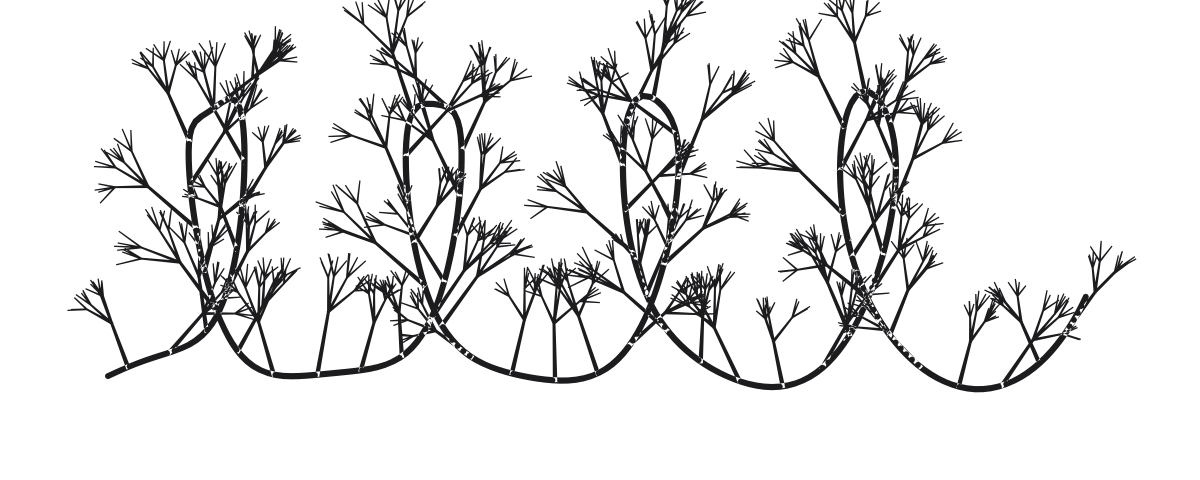
Tendril

Tendril swatch

a vine that curls

Factory size 30 · Steady 0%

Tendril, straight stroke
Straight
Tendril, curved stroke
Curved
Tendril, freehand stroke
Freehand

Short, thick spurs that fork at the tip: every 1.8× Size a stubby trunk (0.35× Size wide, about 1.4× long) grows straight out from alternating sides of the line, then splits into four short, needle-tipped prongs at about 27°. Despite the subtitle there is almost no curl (1%). Seed 77 fixes the scatter.

Reads: direction

With a finger: Identical with a finger: it reads no pressure or tilt.

SettingRangeFactoryWhat it does
Growth pattern Options pageChoices: Branches, Floral, Fern, Vine, Thorns, Barbed wire, Roots, Coral, Crystal, SeaweedVineStarts the growth from a preset recipe. Picking one replaces every recipe value and the seed below with that preset's table. Picker Options page and Brush Studio › Growth.
Show the line Options page0 – 11Off draws only the growth: the stroke's own spine stays invisible.
SeedRandomize, New variation, a whole number (blank = none), Lock77Randomize rolls a whole new recipe (and a new seed unless Lock is on); New variation keeps the recipe and re-rolls every random draw; the same seed always grows the same way. Brush Studio › Growth.
Spacing along the stroke Studio › Growth › Layout0.4× – 6.0× (Tight … Open)1.8×Distance between growths along the line, × Size; the first grows half a step in. Brush Studio › Growth › Layout.
Generations Studio › Growth › Layout0 – 41How many times branches branch (0 = a single trunk). Brush Studio › Growth › Layout.
Branches per split Studio › Growth › Layout0 – 54Children at each branching point. Brush Studio › Growth › Layout.
Segments per branch Studio › Growth › Layout1 – 83More segments bend more smoothly (and cost more of the 72-piece budget). Brush Studio › Growth › Layout.
Trunk length Studio › Growth › Layout0.2× – 4.0× (Short … Long)1.4×Length of the first branch, × Size (each growth varies it ±20%). Brush Studio › Growth › Layout.
Grows toward Studio › Growth › Layout-1.00 – +1.00 (Down … Up)0.000 grows straight out from the line, alternating sides; positive bends growth toward the top of the page, negative toward the bottom. Brush Studio › Growth › Layout.
Branch angle Studio › Growth › Shape0° – 90° (Narrow … Wide)27°How far children fan out from their parent's direction (also the spike angle for Barbed wire). Brush Studio › Growth › Shape.
Angle wobble Studio › Growth › Shape0° – 69° (Even … Varied)8°Random variation added to every angle. Brush Studio › Growth › Shape.
Child length Studio › Growth › Shape30% – 100% (Short … Long)61%Each generation's length against its parent's. Brush Studio › Growth › Shape.
Trunk width Studio › Growth › Shape0.04× – 0.80× (Hairline … Bold)0.35×The first branch's root width, × Size. Brush Studio › Growth › Shape.
Tip width Studio › Growth › Shape0% – 100% (Needle … Blunt)7%Width at a last-generation branch's end against its root (0 = a needle point). Brush Studio › Growth › Shape.
Curl Studio › Growth › Shape0% – 120% (None … Strong)1%Bend per segment; each branch curls one way or the other at random. Brush Studio › Growth › Shape.
Wave instead of curl Studio › Growth › Shape0 – 10The bend alternates sides along a branch: a wave, not a curl. Brush Studio › Growth › Shape.
Line thickness Studio › Growth › Shape0.00× – 0.60× (Hairline … Bold)0.19×The spine's width along your stroke, × Size. Brush Studio › Growth › Shape.
Barbed wire Studio › Growth › Shape0 – 10Each growth becomes an X of four straight spikes across the line instead of a branch. Brush Studio › Growth › Shape.
TipsNone, Dot, Petals, StampNoneWhat grows at the end of each last branch: nothing, a dot, a five-petal bloom, or a stamp you pick (a dot until one is picked). Brush Studio › Growth › Ornaments.
Tip size0.2× – 3.0× (Small – Large)1.0×Scales the tip ornament (shown when Tips is not None). Brush Studio › Growth › Ornaments.
LeavesNone, Leaflets, StampNoneWhat grows along each branch: nothing, paired leaflets shrinking toward the tip, or a stamp (leaflets until one is picked). Brush Studio › Growth › Ornaments.
Leaf size0.2× – 3.0× (Small – Large)1.5×Scales the leaves (shown when Leaves is not None). Brush Studio › Growth › Ornaments.
Leaf spacing0.2× – 2.0× (Tight – Open)0.5×Pitch of stamp leaves along a branch, × Size (Stamp leaves only). Brush Studio › Growth › Ornaments.
Stamp size variation0% – 100% (Even – Varied)0%Random size per stamp tip or leaf (shown when a stamp ornament is on). Brush Studio › Growth › Ornaments.
Stamp turn variation0% – 100% (Even – Varied)0%Random turn per stamp tip or leaf. Brush Studio › Growth › Ornaments.
Branches drawn withClassic, Fineliner, Ballpoint, Fountain, Brush pen, Chisel, Calligraphy, Quill, Rough pencil, Charcoal, Gritty pencil, ErodeClassicClassic lays tapered quads; any other choice sweeps each branch with that pen's nib (slower to draw). A Complexity meter (Light, Busy, Heavy) shows the cost against the budget. Brush Studio › Growth › Branch pen.
Steady Studio › Steady0% – 100% (None … Strong)0%Smooths a shaky hand by averaging the path over a distance (up to ±120 font units at 100%); the ends stay put. Also a chip on the bottom bar. Brush Studio › Steady.

Tips

  • Raise Curl in the Studio if you want the tendrils to actually curl.
  • The spurs alternate sides, so the line reads like a thorny stem.

Reef

Reef swatch

coral, grown wide

Factory size 30 · Steady 0%

Reef, straight stroke
Straight
Reef, curved stroke
Curved
Reef, freehand stroke
Freehand

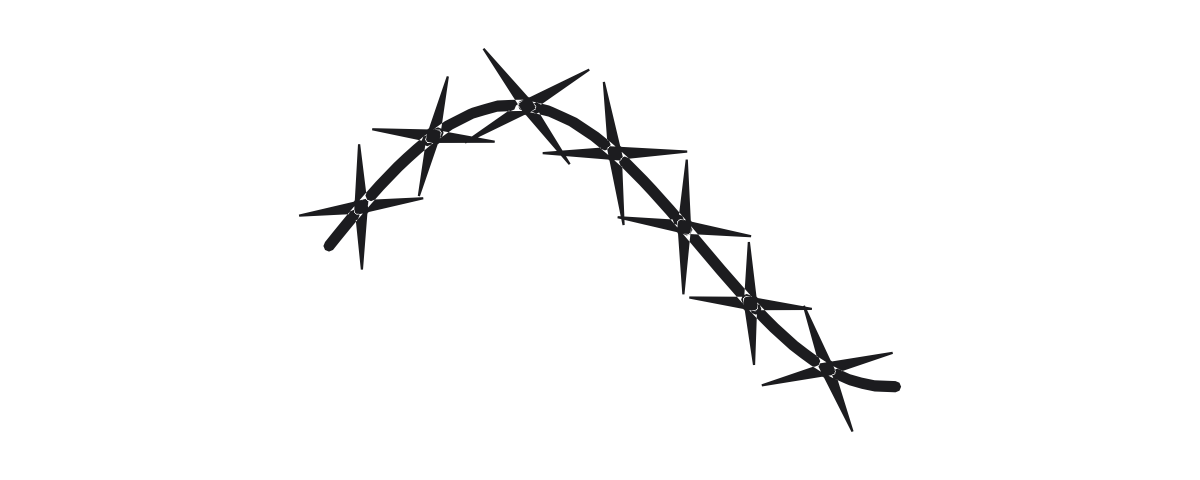
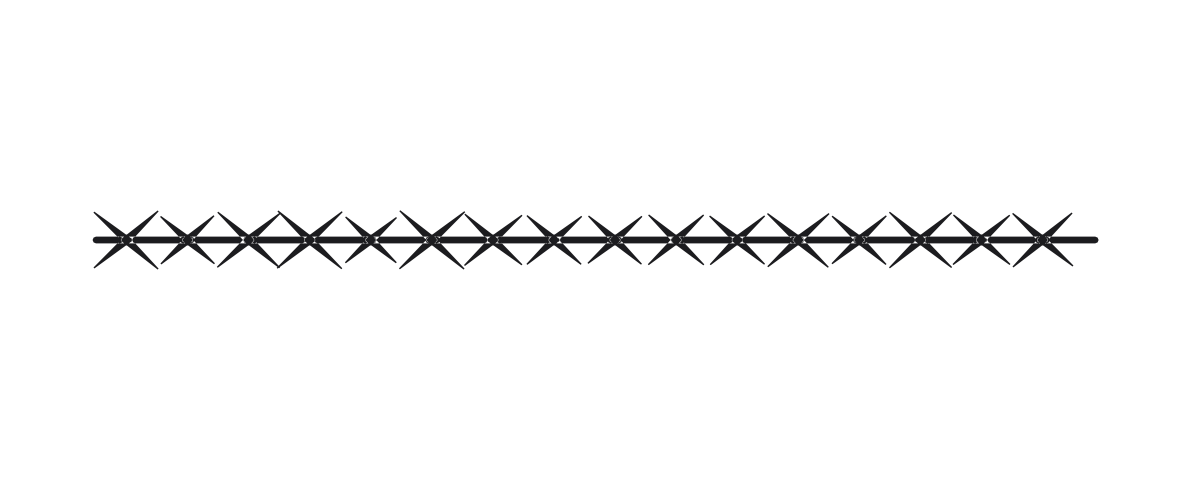
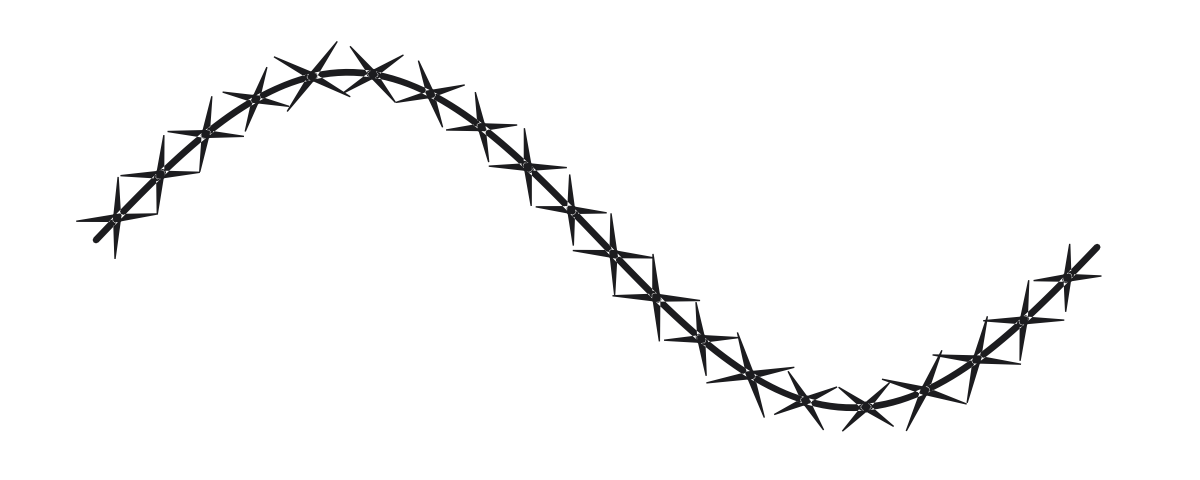
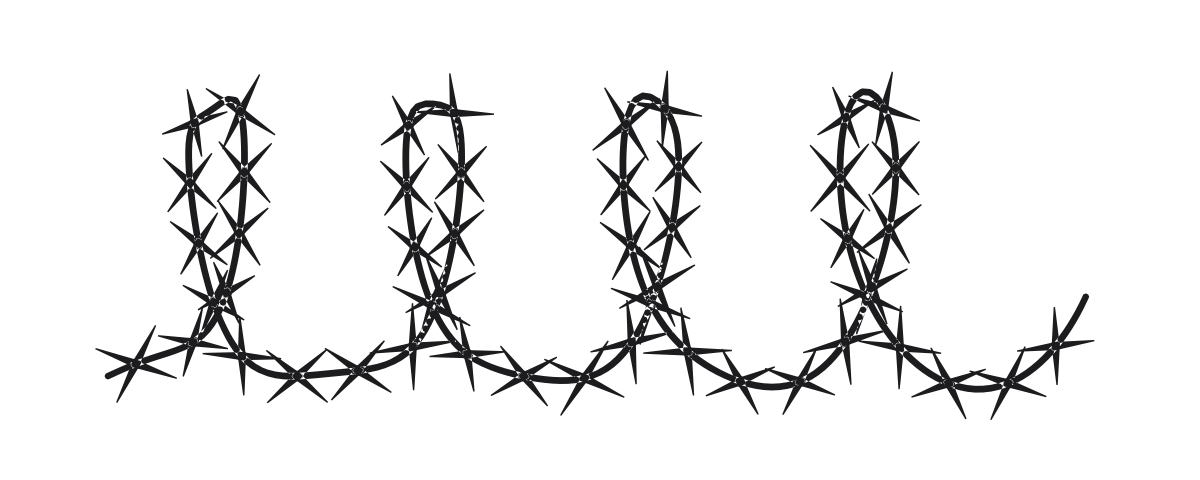
Despite starting from Coral, this recipe has Barbed wire on: every 1.7× Size the line gets an X of four straight spikes about 1.1× Size long, splayed about 49° from square, fairly thick at the root (0.24× Size) and tapering to a fine tip, over a 0.19× Size spine. No branching. Seed 101 fixes the scatter.

Reads: direction

With a finger: Identical with a finger: it reads no pressure or tilt.

SettingRangeFactoryWhat it does
Growth pattern Options pageChoices: Branches, Floral, Fern, Vine, Thorns, Barbed wire, Roots, Coral, Crystal, SeaweedCoralStarts the growth from a preset recipe. Picking one replaces every recipe value and the seed below with that preset's table. Picker Options page and Brush Studio › Growth.
Show the line Options page0 – 11Off draws only the growth: the stroke's own spine stays invisible.
SeedRandomize, New variation, a whole number (blank = none), Lock101Randomize rolls a whole new recipe (and a new seed unless Lock is on); New variation keeps the recipe and re-rolls every random draw; the same seed always grows the same way. Brush Studio › Growth.
Spacing along the stroke Studio › Growth › Layout0.4× – 6.0× (Tight … Open)1.7×Distance between growths along the line, × Size; the first grows half a step in. Brush Studio › Growth › Layout.
Generations Studio › Growth › Layout0 – 40How many times branches branch (0 = a single trunk). Brush Studio › Growth › Layout.
Branches per split Studio › Growth › Layout0 – 50Children at each branching point. Brush Studio › Growth › Layout.
Segments per branch Studio › Growth › Layout1 – 81More segments bend more smoothly (and cost more of the 72-piece budget). Brush Studio › Growth › Layout.
Trunk length Studio › Growth › Layout0.2× – 4.0× (Short … Long)1.1×Length of the first branch, × Size (each growth varies it ±20%). Brush Studio › Growth › Layout.
Grows toward Studio › Growth › Layout-1.00 – +1.00 (Down … Up)+0.500 grows straight out from the line, alternating sides; positive bends growth toward the top of the page, negative toward the bottom. Brush Studio › Growth › Layout.
Branch angle Studio › Growth › Shape0° – 90° (Narrow … Wide)49°How far children fan out from their parent's direction (also the spike angle for Barbed wire). Brush Studio › Growth › Shape.
Angle wobble Studio › Growth › Shape0° – 69° (Even … Varied)1°Random variation added to every angle. Brush Studio › Growth › Shape.
Child length Studio › Growth › Shape30% – 100% (Short … Long)78%Each generation's length against its parent's. Brush Studio › Growth › Shape.
Trunk width Studio › Growth › Shape0.04× – 0.80× (Hairline … Bold)0.24×The first branch's root width, × Size. Brush Studio › Growth › Shape.
Tip width Studio › Growth › Shape0% – 100% (Needle … Blunt)95%Width at a last-generation branch's end against its root (0 = a needle point). Brush Studio › Growth › Shape.
Curl Studio › Growth › Shape0% – 120% (None … Strong)0%Bend per segment; each branch curls one way or the other at random. Brush Studio › Growth › Shape.
Wave instead of curl Studio › Growth › Shape0 – 10The bend alternates sides along a branch: a wave, not a curl. Brush Studio › Growth › Shape.
Line thickness Studio › Growth › Shape0.00× – 0.60× (Hairline … Bold)0.19×The spine's width along your stroke, × Size. Brush Studio › Growth › Shape.
Barbed wire Studio › Growth › Shape0 – 11Each growth becomes an X of four straight spikes across the line instead of a branch. Brush Studio › Growth › Shape.
TipsNone, Dot, Petals, StampNoneWhat grows at the end of each last branch: nothing, a dot, a five-petal bloom, or a stamp you pick (a dot until one is picked). Brush Studio › Growth › Ornaments.
Tip size0.2× – 3.0× (Small – Large)0.8×Scales the tip ornament (shown when Tips is not None). Brush Studio › Growth › Ornaments.
LeavesNone, Leaflets, StampNoneWhat grows along each branch: nothing, paired leaflets shrinking toward the tip, or a stamp (leaflets until one is picked). Brush Studio › Growth › Ornaments.
Leaf size0.2× – 3.0× (Small – Large)1.3×Scales the leaves (shown when Leaves is not None). Brush Studio › Growth › Ornaments.
Leaf spacing0.2× – 2.0× (Tight – Open)0.5×Pitch of stamp leaves along a branch, × Size (Stamp leaves only). Brush Studio › Growth › Ornaments.
Stamp size variation0% – 100% (Even – Varied)0%Random size per stamp tip or leaf (shown when a stamp ornament is on). Brush Studio › Growth › Ornaments.
Stamp turn variation0% – 100% (Even – Varied)0%Random turn per stamp tip or leaf. Brush Studio › Growth › Ornaments.
Branches drawn withClassic, Fineliner, Ballpoint, Fountain, Brush pen, Chisel, Calligraphy, Quill, Rough pencil, Charcoal, Gritty pencil, ErodeClassicClassic lays tapered quads; any other choice sweeps each branch with that pen's nib (slower to draw). A Complexity meter (Light, Busy, Heavy) shows the cost against the budget. Brush Studio › Growth › Branch pen.
Steady Studio › Steady0% – 100% (None … Strong)0%Smooths a shaky hand by averaging the path over a distance (up to ±120 font units at 100%); the ends stay put. Also a chip on the bottom bar. Brush Studio › Steady.

Tips

  • Read it as barbed wire or a spiny reef: the spikes cross the line on both sides.
  • Turn Barbed wire off in the Studio to see the coral-style branching its other values describe.

Taproot

Taproot swatch

roots reaching down

Factory size 30 · Steady 0%

Taproot, straight stroke
Straight
Taproot, curved stroke
Curved
Taproot, freehand stroke
Freehand

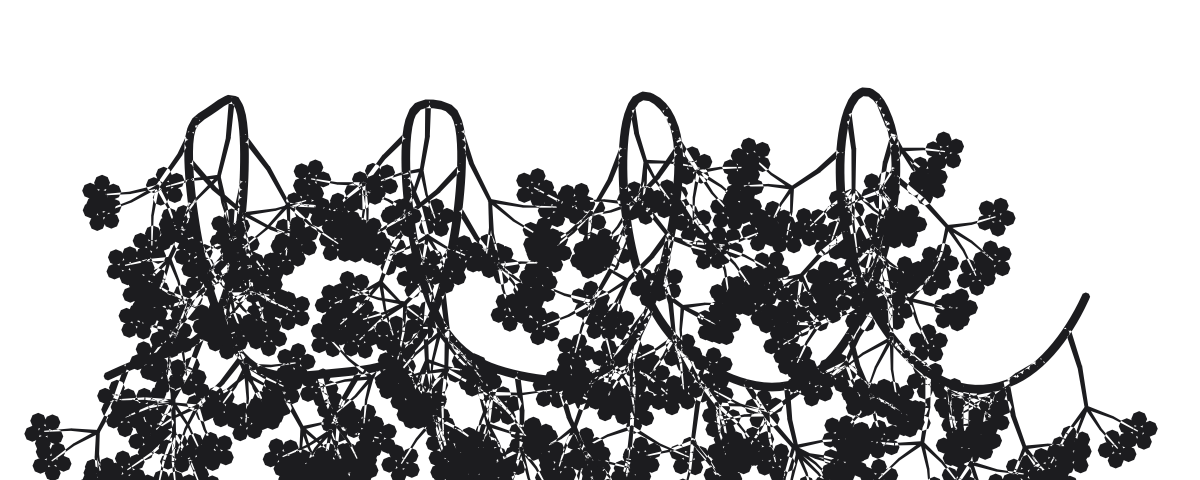
Tall, root-like forks: every 1.3× Size a long, fine trunk (about 2.2× Size, 0.15× wide) grows and splits into four at about 41° with a gentle curl. Although it starts from Roots and the subtitle says they reach down, its Grows toward is +0.90, so the growth points up the page. Seed 2048 fixes the scatter.

Reads: direction

With a finger: Identical with a finger: it reads no pressure or tilt.

SettingRangeFactoryWhat it does
Growth pattern Options pageChoices: Branches, Floral, Fern, Vine, Thorns, Barbed wire, Roots, Coral, Crystal, SeaweedRootsStarts the growth from a preset recipe. Picking one replaces every recipe value and the seed below with that preset's table. Picker Options page and Brush Studio › Growth.
Show the line Options page0 – 11Off draws only the growth: the stroke's own spine stays invisible.
SeedRandomize, New variation, a whole number (blank = none), Lock2048Randomize rolls a whole new recipe (and a new seed unless Lock is on); New variation keeps the recipe and re-rolls every random draw; the same seed always grows the same way. Brush Studio › Growth.
Spacing along the stroke Studio › Growth › Layout0.4× – 6.0× (Tight … Open)1.3×Distance between growths along the line, × Size; the first grows half a step in. Brush Studio › Growth › Layout.
Generations Studio › Growth › Layout0 – 41How many times branches branch (0 = a single trunk). Brush Studio › Growth › Layout.
Branches per split Studio › Growth › Layout0 – 54Children at each branching point. Brush Studio › Growth › Layout.
Segments per branch Studio › Growth › Layout1 – 81More segments bend more smoothly (and cost more of the 72-piece budget). Brush Studio › Growth › Layout.
Trunk length Studio › Growth › Layout0.2× – 4.0× (Short … Long)2.2×Length of the first branch, × Size (each growth varies it ±20%). Brush Studio › Growth › Layout.
Grows toward Studio › Growth › Layout-1.00 – +1.00 (Down … Up)+0.900 grows straight out from the line, alternating sides; positive bends growth toward the top of the page, negative toward the bottom. Brush Studio › Growth › Layout.
Branch angle Studio › Growth › Shape0° – 90° (Narrow … Wide)41°How far children fan out from their parent's direction (also the spike angle for Barbed wire). Brush Studio › Growth › Shape.
Angle wobble Studio › Growth › Shape0° – 69° (Even … Varied)10°Random variation added to every angle. Brush Studio › Growth › Shape.
Child length Studio › Growth › Shape30% – 100% (Short … Long)68%Each generation's length against its parent's. Brush Studio › Growth › Shape.
Trunk width Studio › Growth › Shape0.04× – 0.80× (Hairline … Bold)0.15×The first branch's root width, × Size. Brush Studio › Growth › Shape.
Tip width Studio › Growth › Shape0% – 100% (Needle … Blunt)17%Width at a last-generation branch's end against its root (0 = a needle point). Brush Studio › Growth › Shape.
Curl Studio › Growth › Shape0% – 120% (None … Strong)21%Bend per segment; each branch curls one way or the other at random. Brush Studio › Growth › Shape.
Wave instead of curl Studio › Growth › Shape0 – 10The bend alternates sides along a branch: a wave, not a curl. Brush Studio › Growth › Shape.
Line thickness Studio › Growth › Shape0.00× – 0.60× (Hairline … Bold)0.12×The spine's width along your stroke, × Size. Brush Studio › Growth › Shape.
Barbed wire Studio › Growth › Shape0 – 10Each growth becomes an X of four straight spikes across the line instead of a branch. Brush Studio › Growth › Shape.
TipsNone, Dot, Petals, StampNoneWhat grows at the end of each last branch: nothing, a dot, a five-petal bloom, or a stamp you pick (a dot until one is picked). Brush Studio › Growth › Ornaments.
Tip size0.2× – 3.0× (Small – Large)1.1×Scales the tip ornament (shown when Tips is not None). Brush Studio › Growth › Ornaments.
LeavesNone, Leaflets, StampNoneWhat grows along each branch: nothing, paired leaflets shrinking toward the tip, or a stamp (leaflets until one is picked). Brush Studio › Growth › Ornaments.
Leaf size0.2× – 3.0× (Small – Large)1.2×Scales the leaves (shown when Leaves is not None). Brush Studio › Growth › Ornaments.
Leaf spacing0.2× – 2.0× (Tight – Open)0.5×Pitch of stamp leaves along a branch, × Size (Stamp leaves only). Brush Studio › Growth › Ornaments.
Stamp size variation0% – 100% (Even – Varied)0%Random size per stamp tip or leaf (shown when a stamp ornament is on). Brush Studio › Growth › Ornaments.
Stamp turn variation0% – 100% (Even – Varied)0%Random turn per stamp tip or leaf. Brush Studio › Growth › Ornaments.
Branches drawn withClassic, Fineliner, Ballpoint, Fountain, Brush pen, Chisel, Calligraphy, Quill, Rough pencil, Charcoal, Gritty pencil, ErodeClassicClassic lays tapered quads; any other choice sweeps each branch with that pen's nib (slower to draw). A Complexity meter (Light, Busy, Heavy) shows the cost against the budget. Brush Studio › Growth › Branch pen.
Steady Studio › Steady0% – 100% (None … Strong)0%Smooths a shaky hand by averaging the path over a distance (up to ±120 font units at 100%); the ends stay put. Also a chip on the bottom bar. Brush Studio › Steady.

Tips

  • Set Grows toward to a negative value in the Studio if you want the roots to hang down.
  • Draw it along baselines or the tops of letters for a hedgerow effect.